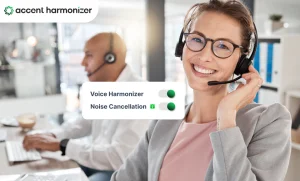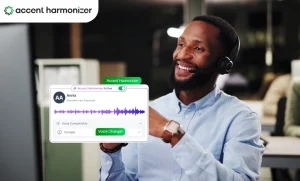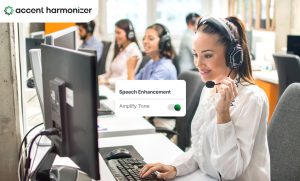
Global teams don’t struggle because agents lack skills — they struggle because conversations break under real-time pressure. Accent-related friction slows decisions, increases repetition, and quietly inflates operational costs across voice channels. Accent adaptation software solves this — but only if you implement it correctly within your global operations stack.
Why Global Teams Break Down at the Conversation Layer (Not the Talent Layer)
The most common mistake operations leaders make is treating accent-related friction as a talent problem. It isn’t. It’s a systems problem.
When a customer on a high-speed support call mishears a product SKU, a billing date, or an account number, the conversation enters what linguists call a “repair loop” a cycle of repetition, clarification, and re-confirmation that burns time on both ends of the call. Add VoIP compression artifacts, background noise, and the cognitive load of multilingual environments, and even the most experienced agents face an uphill battle.
The friction shows up in predictable places: rising average handle time, misheard entities (names, numbers, order IDs), and delayed decisions that push resolution into follow-up calls. The root cause isn’t capability — it’s the gap between what’s said and what’s processed under real-world conditions.
What Accent Adaptation Software Actually Does?
Accent adaptation is not accent neutralization, and it’s not translation. It refers to software that modifies the phonetic characteristics of speech in real time to reduce comprehension friction — without changing the content, language, or identity of the speaker.
Two models exist. Speaker-side adaptation adjusts how the agent’s voice sounds on the customer’s end. Listener-side adaptation filters incoming speech to make it easier for the agent to process. The most sophisticated platforms combine both.
| Real-Time Sub-200ms Processing Pipeline | |||
|---|---|---|---|
| Stage 1: Ingestion | Stage 2: Analysis | Stage 3: Modification | Stage 4: Delivery |
Audio Capture Stream-based ingestion of raw inbound or outbound voice packets directly from the WebRTC or SIP trunk. Latency: < 10ms | Phonetic Analysis Real-time acoustic modeling maps the incoming audio stream to determine phoneme structures, micro-inflections, and regional variations. Latency: 40ms – 60ms | Phoneme Adjustment
Latency: 60ms – 90ms | Real-Time Output Re-synthesized, harmonized audio is packaged and transmitted to the listener, keeping total latency below human thresholds. Total: < 200ms (Seamless) |
Deploying specialized accent adaptation software reduces conversational friction across global support teams without requiring extensive behavioral changes.
What it does not do?
It doesn’t rewrite scripts, change language, or replace the agent. It removes a specific type of friction from the conversation layer, nothing more.
Why Accent Adaptation Software Global Teams Use Fails Without Proper Deployment?
One of the most overlooked questions in vendor evaluations is where this technology sits in the architecture.
Accent translation software operates between the agent’s audio input and the customer’s output — sitting at the VoIP or SIP layer, upstream of the call recording and downstream of the agent’s headset. Most enterprise-grade platforms integrate directly with major CCaaS providers like Genesys, Five9, and NICE, meaning deployment doesn’t require a rip-and-replace of existing infrastructure.
It works alongside — not instead of — your existing speech analytics, QA platforms, and coaching tools. Think of those as your post-call intelligence layer. Accent adaptation is your in-call performance layer.
How Accent Adaptation Software Improves Global Team Communication Metrics?
Vague claims about “better communication” don’t move procurement decisions. Here’s where the measurable impact lands:
- Average Handle Time (AHT) drops because repair loops are shorter. When customers hear clearly the first time, they don’t ask for repetition — and agents don’t spend thirty seconds re-spelling an address.
- First Contact Resolution (FCR) improves because instructions land correctly. Misheard troubleshooting steps are one of the most common drivers of repeat contacts in technical support environments.
- CSAT scores rise in proportion to reduced customer effort. Comprehension friction is exhausting — even if customers can’t name the source of their frustration, they feel it.
- QA scores become more consistent across agent cohorts, reducing the performance gap between native and non-native speakers on voice channels.
The underlying mechanism is straightforward: fewer comprehension failures mean fewer conversational repairs, which means faster resolution cycles across the board.
Where Accent Adaptation Software Fits in Global Teams’ CX Stack
Not every deployment generates equal returns. The highest ROI scenarios share two characteristics: high call volume and high comprehension stakes.
- Inbound technical support tops the list. Complex terminology, multi-step instructions, and frustrated customers create the perfect conditions for accent-related friction to cascade into escalations and repeat contacts.
- BPO and offshore teams serving English-speaking markets face structural comprehension gaps driven by regional accents, audio compression, and high-speed conversation norms. Accent adaptation directly addresses the specific friction point these teams encounter at scale.
- Sales and demo calls are high-stakes in a different way — missed nuance can mean a lost deal. When the decision moment hinges on a pricing detail or a product capability, comprehension clarity isn’t a nice-to-have.
How to Implement Adaptation Software for Global Teams Step by Step?
This is where most operators fall short. They evaluate and procure correctly, then under-invest in implementation — and measure nothing.
- Step 1: Identify friction points. Pull repeat rate data, QA flags, and AHT spikes by team, call type, and agent cohort. This tells you where accent-related friction is highest and gives you a baseline to measure against.
- Step 2: Define success metrics before you deploy. Set targets for AHT reduction, FCR improvement, and QA consistency. Without pre-deployment baselines, you can’t demonstrate ROI.
- Step 3: Run a controlled pilot. A/B test a subset of calls with and without adaptation enabled. This isolates the variable and builds internal confidence before full rollout.
- Step 4: Integrate at the voice stack layer. Work with your CCaaS or VoIP provider to configure the integration. Most enterprise platforms support this natively.
- Step 5: Monitor and optimize continuously. Accent adaptation models improve with feedback. Build a review cadence into your QA workflow and flag edge cases for model tuning.
How to Evaluate Vendors: What to Look For (and What to Avoid)
When comparing platforms, prioritize these criteria: latency (under 200ms is non-negotiable), voice naturalness (robotic output destroys trust), accuracy of phonetic adjustment, integration complexity, and privacy and compliance posture — particularly relevant for regulated industries.
Red flags: vendors who can’t demonstrate latency benchmarks, platforms that produce audible artifacts in output audio, and any tool that lacks transparency about how adjustments are made.
The Bottom Line
Accent harmonization software is a conversation infrastructure tool. When implemented correctly, it reduces operational friction at one of the most overlooked layers of global CX: the moment the words leave one person’s mouth and reach another’s ears.
If your global voice teams are carrying performance gaps that training alone isn’t closing, the answer may not be more coaching. It may be better infrastructure.
Measure how much accent friction is costing your global teams.
Request a live demo and benchmark clarity impact on your real call flows.