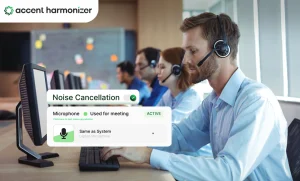

A customer asks an agent to repeat an account number. The agent slows down, repeats it, confirms it again, and then tries to return to the original conversation.
Twenty or thirty seconds disappear. On one call, that is insignificant. Across hundreds of agents and thousands of daily conversations, repeated comprehension failures can become additional handling time, supervisor involvement, frustrated customers, and paid capacity that produces no additional resolution.
That is the business case behind accent neutralization software.
The objective is not to make every agent sound identical. It is to reduce speech characteristics that create unnecessary listener effort while preserving the speaker’s identity, tone, intent, and emotional delivery.
For contact-center leaders evaluating the technology, however, the important question is not simply whether the software can modify an accent.
What Is Accent Neutralization Software?
Accent neutralization software processes spoken audio in real time and adjusts pronunciation or speech-pattern characteristics that can make a speaker harder for a listener to understand.
In a contact center, the software typically sits within the agent’s audio path. The agent speaks normally, the voice is processed, and the adjusted audio is passed into the calling application.
The underlying message should remain unchanged.
Enterprise systems should also preserve characteristics that matter during customer conversations, including:
- speaker identity,
- emotional tone,
- urgency,
- reassurance,
- conversational rhythm,
- and intent.
The goal is not to “erase” how an employee speaks. It is to reduce avoidable comprehension friction during conversations where the underlying language and information are already correct.
How Does Real-Time Accent Neutralization Work During a Call?
The exact architecture varies between vendors, but the basic process has four stages.
- The agent’s speech enters the audio-processing layer: The agent speaks into the same approved headset or microphone used for normal contact-center work. The software receives that audio before it reaches the customer.
- Speech characteristics are analyzed: The processing system identifies pronunciation, phonetic, stress, or speech-pattern characteristics that may affect intelligibility. This is not the same as rewriting the agent’s sentence. The words and intended message remain the same.
- Selected characteristics are adjusted: The system modifies the parts of the speech signal that its model determines require adjustment. That can include pronunciation patterns or individual phonetic features rather than replacing the entire voice.
- The processed audio enters the contact-center platform: The adjusted speech is then passed into the agent’s communication application and delivered to the customer.
For a virtual-audio-device architecture such as Accent Harmonizer, the simplified path looks like this:
| Real-Time Accent Harmonization Voice Path |
|---|
Input Agent Headset Captures raw analog audio from the local agent. → Processing Accent Harmonizer
→ Transport CCaaS Application Receives processed audio via WebRTC/SIP; transmits over network. → Output Customer Hears harmonized voice with improved clarity. |
That architecture is important because enterprise buyers should understand exactly where voice processing occurs and what systems it does—and does not—touch.
Accent Neutralization, Voice Conversion, and Harmonization Are Not the Same Thing
“Accent neutralization,” “voice conversion,” and “accent harmonization” are often used to describe related technologies, but they do not necessarily involve the same degree of voice modification.
- Voice Conversion: Voice replacement reconstructs speech using another voice profile or a synthesized output. It creates the largest change and therefore carries the greatest risk of altering how the speaker is perceived.
- Accent Neutralization: Accent neutralization shifts pronunciation toward another accent pattern. The original speaker may remain recognizable, but more aggressive conversion can influence rhythm, stress, or emotional delivery.
- Accent Harmonization: Accent harmonization takes a narrower approach. Instead of replacing the speaker or attempting to standardize every feature of their speech, it selectively adjusts characteristics that create intelligibility problems.
More audible transformation does not automatically mean better technology.
Where Accent-related Friction Appears in Contact-Center Metrics?
Accent-related comprehension problems rarely appear in a dashboard labeled “accent friction.” They show up indirectly as repeat and clarification requests. The most obvious signal is: “Could you repeat that?”
But the cost is rarely limited to repeating one sentence. A repair sequence can look like:
| Technical Workflow Diagram: Phonetic Breakdown & Resolution Loop |
|---|
Step 1Misheard Phrase → Step 2Repetition → Step 3Slower Repetition → Step 4Rephrasing → Step 5Customer Confirmation → ResolutionReturn to Original Conversation |
The call has now accumulated additional handling time without moving the customer closer to resolution.
- Average Handle Time: If comprehension repair repeatedly adds seconds to calls, the effect compounds across volume. A high AHT does not prove that accents are the problem. Product knowledge, difficult workflows, poor routing, slow systems, network quality, customer complexity, and dozens of other variables can also increase handle time.
- Escalations and Transfers: A customer struggling to understand an agent may incorrectly conclude that the agent cannot resolve the issue. The result can be an avoidable request for:
- a supervisor,
- another agent,
- or a transfer.
One comprehension failure can therefore consume both frontline and supervisory labor.
- QA and CSAT: An agent may provide the correct information but still receive a poor communication-related outcome. That matters because coaching teams can otherwise mistake a listener-comprehension problem for:
- weak confidence,
- poor call control,
- inadequate product knowledge,
- or failure to follow the script.
Fixing the wrong diagnosis wastes more time.
Accent Neutralization Software vs. Traditional Accent Training
Both approaches can address communication difficulties, but they operate differently.
| Traditional Accent Training vs Real-Time Accent Software | ||
|---|---|---|
| Evaluation Area | Traditional Accent Training | Real-Time Accent Software (Accent Harmonizer) |
| Time to Impact | 3–6 months (Requires continuous learning and practice) | Immediate (Dependent on technical deployment & pilot) |
| Agent Behavior Change | Required (High cognitive load during live calls) | Limited or None (Zero workflow disruption) |
| Consistency | Varies by individual agent & fatigue level | 100% Deterministic (Software-driven clarity) |
| Production Impact | Agents spend hours off-line in training & reinforcement | Requires initial technical rollout & pilot validation |
| Primary Objective | Modify deeply learned speaking habits | Harmonize live audio output in sub-150ms |
| Ongoing Requirement | Continuous coaching, QA oversight & retraining | Standard software maintenance & CCaaS integration |
How to Measure Whether Accent Neutralization Software Is Working?
Do not measure everything. A pilot with twelve KPIs and no predefined success criteria makes it too easy to declare victory because something improved. Use a small number of metrics linked directly to the mechanism being tested.
Primary metric: clarification and repeat events
This is closest to the underlying hypothesis. Track situations where:
- customers explicitly request repetition,
- agents repeat numbers or phrases,
- agents rephrase information,
- or extended confirmation loops occur.
If possible, classify these events separately from generic repetition.
Primary metric: Average Handle Time
Compare AHT for equivalent treatment and control cohorts. Do not treat an AHT reduction alone as proof that comprehension improved. Queue mix, call complexity, seasonality, staffing, workflow changes, and other variables can all affect it.
Guardrail metric: CSAT
Faster calls are not useful if customers perceive the processed voice negatively. CSAT provides a basic check against optimizing only for speed.
Guardrail metric: escalation or transfer rate
Track whether clarification-related escalations fall—and ensure the software does not create new reasons for customers to request another agent.
How Accent Harmonizer Fits into a Contact-Center Audio Stack?
Accent Harmonizer is designed to operate as a real-time audio layer rather than as a replacement for the contact-center platform itself.
At a simplified level:
| Accent Harmonizer Integration |
|---|
Input Agent Headset Captures raw analog audio from the local agent. → Processing Accent Harmonizer
→ Transport CCaaS Application Receives processed audio via WebRTC/SIP; transmits over network. → Output Customer Hears harmonized voice with improved clarity. |
- Agents continue speaking normally: There is no requirement for agents to consciously pronounce every word differently during production calls. That removes one adoption variable from the deployment.
- Speech is adjusted in real time: Selected speech characteristics are processed before the audio enters the live customer conversation. Any stated latency specification should still be validated under the buyer’s actual endpoint and contact-center conditions.
- Voice identity should remain intact: The point of harmonization is not to replace the person speaking. The agent should remain recognizable, including their emotional delivery and conversational intent.
Improve Understanding Without Turning Voice AI into a Telephony Project
Accent neutralization software should not be evaluated on how dramatic the before-and-after recording sounds. It should be evaluated whether it can remove measurable conversational friction while surviving the realities of a production contact center.
That means testing:
- listener comprehension,
- repeat events,
- voice identity,
- latency,
- endpoint behavior,
- failure modes,
- privacy,
- downstream speech systems,
- and measurable operational outcomes.
If the underlying problem is noise, poor connectivity, weak language proficiency, or incorrect information, solve that problem first.
But when the message is correct and customers are still spending unnecessary effort understanding it, real-time accent harmonization becomes a testable operational intervention rather than a cosmetic voice feature.
Eliminate Speech Friction Without Telephony Overhaul
Is acoustic friction inflating your Average Handle Time and dragging down CSAT? Evaluate how Accent Harmonizer operates directly on the agent endpoint with sub-200ms processing, zero cloud audio storage, and zero SIP architecture changes.
- Sub-200ms Processing: Natural conversational pacing without voice lag.
- Fail-Open Security: Zero dropped calls and full PII privacy protection.
- Plug-and-Play Integration: Endpoint deployment compatible with any CCaaS stack.
Schedule an Accent Harmonizer Pilot
Run a controlled Accent Harmonizer pilot and measure whether comprehension friction is affecting clarification events, AHT, CSAT, and escalations in your contact center.