
Customer complaints about call quality often sound the same. Phrases like “I can’t hear them properly,” “the call was unclear,” or “the audio wasn’t good” appear repeatedly in support feedback and QA reviews.
Because these complaints use similar language, QA system treat them as the same problem. In many organizations, this leads directly to the conclusion that noise must be the issue. As a result, tooling decisions are made quickly on noise-cancelling software before the underlying cause is understood.
The problem is that noise is only one possible failure point in customer conversations. Communication breakdowns in support environments occur at multiple layers, and treating them as a single category produces incomplete fixes.
What Noise Cancelling Software Actually Does?
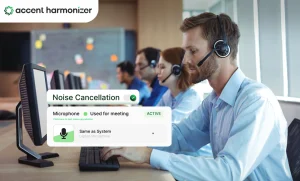
Noise cancelling software removes non-speech sounds from an audio stream. Its primary function is to detect and suppress environmental interference such as background conversations, mechanical hum, or ambient noise. By doing so, it improves the signal-to-noise ratio, allowing the speaker’s voice to be heard more clearly relative to surrounding sound.
Call center-focused noise cancellation tool operates outside the speech signal itself. However, it does not modify how speech is produced, structured, or articulated.
Problems Noise Cancelling Software Is Designed to Solve
Noise cancelling software is effective when environmental sound is the dominant issue.
Typical examples include:
- Background conversations in open offices
- Keyboard clicks and mechanical noise
- Fan, HVAC, or electrical hum
- Traffic or household sounds in remote setups
When these factors are responsible to dip call quality, noise cancelling software is the correct and sufficient solution. Contact centers must evaluate what noise suppression software fixes for agents versus speech-level interventions.
Problems Audio Clarity Software in Customer Service Cannot Solve
While noise cancelling software performs well within its scope, there are several categories of communication failure it cannot address by design.
Speech intelligibility limitations
Speech intelligibility refers to how easily a listener decodes spoken language can be by . It is not the same as volume, and it is not determined solely by audio cleanliness. Intelligibility depends on how speech patterns are formed and perceived.
A call can be acoustically clean and still difficult to understand. Noise Cancellation can remove interference, but it does not influence how clearly speech patterns are transmitted or interpreted.
Pronunciation and stress pattern variation
Audio clarity in customer service is shaped by factors such as:
- Phoneme articulation
- Syllable timing
- Stress placement within words and sentences
These elements determine how quickly and accurately listeners recognize spoken language.
Noise cancelling software processes sound around speech, not the speech patterns themselves. If pronunciation or stress variation makes speech harder to decode, removing background noise does not resolve the issue.
Repetition Loops and Clarification Fatigue
Repeatation of phrases like “could you say that again” or “can you repeat that” are often interpreted as audio failures.
In practice, these moments frequently signal comprehension difficulty rather than technical interference. They occur even when recordings contain no background noise and meet internal audio quality standards.
Why Are These Failures Misdiagnosed as Noise?
Misdiagnosis typically results from how communication problems are reported and reviewed. Customers describe symptoms, not causes. QA frameworks often rely on broad labels such as “unclear communication.”
Supervisors reviewing calls hear dissatisfaction but lack precise categories to separate environmental issues from speech-level challenges. As a result, teams default to the most visible technical explanation: audio quality.
One assumes noise as the culprit because it is tangible, measurable, and easy to associate with tooling.
Four-layer Model of Call Quality Failure
Call quality issues do not originate from a single source. They emerge across distinct layers, each requiring a different type of intervention.
| Layers of Voice Communication Failure & Appropriate Interventions | |||
|---|---|---|---|
| Layer | What fails | Common symptom | Appropriate intervention |
| Environment | Background interference | Audible distractions | Noise cancelling software |
| Signal | Audio transmission | Static, echo | Hardware or telephony fixes |
| Speech | Intelligibility | Repetition, “hard to follow” | Accent harmonization |
| Comprehension | Cognitive processing | Confusion | Training and support tools |
Treating all four layers as “audio problems” collapses important distinctions and leads to mismatched solutions.
Why Improving “Audio” Alone Often Fails?
Many teams experience a familiar pattern. Noise cancelling tools are deployed. Background sound is reduced. Recordings sound cleaner. Yet customer satisfaction scores do not improve, and clarification moments persist.
This often leads to the conclusion that the software did not work. In many cases, the software works correctly, but it runs the wrong layer. Environmental interference was resolved, but the dominant issue existed at the speech or comprehension level. Because those layers remained unchanged, the perceived problem continued.
When Noise Cancelling Software Is Enough
There are scenarios where noise cancelling software alone is sufficient.
These include:
- Remote agents working in uncontrolled environments
- Shared office floors with constant ambient sound
- Inconsistent microphone quality across teams
In these situations, environmental interference is the primary barrier to clarity. Removing them improves communication without additional intervention. In these scenarios, it is not speech-level intervention necessary.
When it is not enough
Noise cancelling software is not sufficient when complaints persist despite clean audio.
Common indicators include:
- Repeated clarifications during quiet calls
- QA feedback focused on “hard to follow” rather than “hard to hear”
- Escalations without identifiable technical defects
Where Speech-layer Technologies Fit
Speech-layer technologies like Accent Harmonizer complement noise cancellation rather than replacing it. They address a different category of communication failure and are relevant only when platform addresses environmental and signal issues.
How To Diagnose Your Issue Before Choosing Tools?
Before adding new software, teams benefit from separating symptoms by layer.
A practical diagnostic approach includes:
- Reviewing calls with minimal background noise
- Tracking moments of repetition and clarification
- Categorizing QA feedback by environment, signal, or speech
- Gathering direct agent input on where conversations break down
Conclusion
Noise cancelling software is essential for environmental clarity, but customer support communication failures originate at the speech layer — and treating all of them as noise leads to ineffective fixes.
If call quality issues persist but the source remains unclear, a short walkthrough can help isolate where the breakdown is occurring. Reviewing real call scenarios through this framework often makes it easier to determine whether additional tools are necessary and, if so, which layer they should address.
You can request a guided demo of Accent Harmonizer to examine how speech-layer support fits alongside existing noise-cancelling and audio systems.