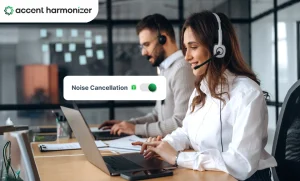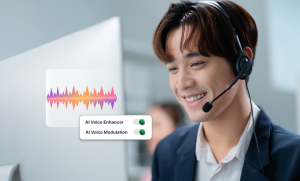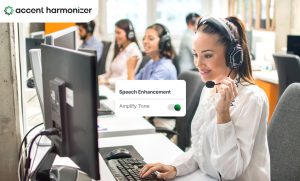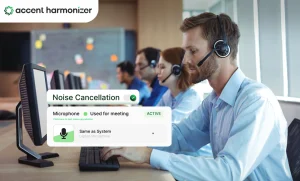
In contact center operations, clean audio does not automatically mean understandable speech. A voice stream can be free of static or background noise, yet customers may still struggle to process the conversation due to unfamiliar pronunciation, regional speech patterns, or cadence differences. This breakdown in comprehension directly drives handle times and customer effort.
AI voice clarity software solves this problem by optimizing speech intelligibility during live calls. Unlike basic noise filters or voice changers, this technology targets the acoustic and phonetic parameters that affect how easily speech is understood. This guide outlines how AI voice clarity software functions in live environments, where it differs from traditional signal processing, and how enterprise operations leaders should evaluate its impact.
What Is AI Voice Clarity Software?
AI voice clarity software is a real-time signal processing technology that improves how easily live speech is understood by a listener. Deployed within contact center voice paths, it modifies environmental or speech-level characteristics to ensure immediate comprehension while preserving natural conversation flow.
Depending on its underlying architecture, AI voice clarity software focuses on acoustic cleanliness, pronunciation-level intelligibility, or both.
| Real-Time AI Voice Processing & Intelligibility Pathway |
|---|
Input Stage Agent Live Audio Input → Core Engine AI Voice Clarity Layer Preserves: Tone, Identity, & Emotion → Output Stage Clear Speech Delivered Received by Customer |
To function effectively in live customer service environments, these systems must preserve the speaker’s core vocal attributes:
- Speaker Identity: Keeping the agent sounding like themselves.
- Vocal Tone: Retaining professional warmth or urgency without flatlining pitch.
- Emotional Expressiveness: Ensuring empathy and natural dynamic range cross the audio stream intact.
- Conversational Style: Maintaining natural cadence, pause structures, and inflection.
AI voice clarity software is not post-production audio editing, generic transcription software, accent coaching, or entertainment-driven voice modification. It operates dynamically on live, two-way voice streams.
Why Noise Cancellation Does Not Solve Every Voice-clarity Problem?
Contact center leaders often treat audio issues as a single problem, but clarity breakdowns stem from two distinct root causes: acoustic distortion and speech unintelligibility.
| Acoustic Clarity vs Speech Intelligibility Breakdown | ||
|---|---|---|
| Dimension | Acoustic Clarity Issues | Speech Intelligibility Issues |
| Root Cause | Environmental interference and signal degradation | Cognition and speech pattern friction |
| Primary Drivers |
|
|
| Primary Technology | Omni-directional noise cancellation | Accent-aware processing / real-time Accent Harmonizer |
| Operational Impact |
|
|
Traditional noise cancellation cleans the transmission pipe by removing non-voice frequencies. However, suppressing background noise does nothing to resolve phonetic friction if the customer simply cannot process the agent’s speech cadence or accent. Signal quality is a prerequisite for a clear call, but speech intelligibility requires targeted optimization of the vocal features themselves. Operations leaders seeking a deeper look into these differences can review our breakdown on noise cancellation vs accent harmonization.
How AI Voice Clarity Software Works During a Live Call?
Real-time voice clarity systems process live audio in line with the call path. While proprietary architectures vary, enterprise-grade clarity tools generally execute a four-stage process:
| Real-Time Accent Harmonization & Processing Pipeline |
|---|
Step 1 Receive Live Speech Ingests agent audio stream mid-call → Step 2 Analyze Speech & Acoustics Evaluates phonemes, cadence, & noise → Step 3 Target Intelligibility Applies accent-aware cues or filtering → Step 4 Return Processed Speech Delivers output (<200ms) preserving identity |
- Receive Live Speech: The software ingests the agent’s audio stream directly from the softphone or virtual audio device the moment speech occurs.
- Analyze Relevant Speech and Acoustic Features: Deep learning models evaluate incoming frames in real time, isolating vocal tract characteristics, fundamental frequencies, background noise profiles, and phonetic structures.
- Adjust Only What Affects Understanding: The system selectively modifies features causing friction. Here, AI-driven accent adjustment can contribute to AI accent voice clarity when unfamiliar speech patterns are the primary source of listener comprehension issues. The model corrects targeted phonetic cues without altering the core structure of the speaker’s voice.
- Return Speech While Preserving Conversational Flow: The optimized audio stream is output to the customer endpoint. Processing occurs under tight latency constraints to prevent conversational overlaps, preserving natural turn-taking, vocal tone, and emotional context.
AI Voice Clarity vs. Noise Cancellation vs. Voice Changing
Deploying the wrong audio technology creates operational friction or synthetic-sounding interactions. The table below illustrates how functional requirements separate these tools:
- Noise Cancellation focuses strictly on signal cleanup by isolating voice from environmental noise.
- Voice Changing alters fundamental vocal characteristics, often distorting pitch and identity for anonymity or entertainment.
- Accent-Aware Voice Clarity optimizes comprehension by adjusting specific speech patterns while keeping the speaker’s voice authentic.
| Enterprise Voice Technologies Capability Comparison | |||
|---|---|---|---|
| Capability | Noise Cancellation | Voice Changing Software | Accent Harmonizer |
| Removes Environmental Noise | Yes | Variable | Yes |
| Improves Signal Quality | Yes | No | Yes |
| Adjusts Pronunciation / Accent Cues | No | Sometimes | Yes |
| Preserves Speaker Vocal Identity | Yes | No | Yes |
| Designed for Enterprise Intelligibility | Indirectly | No | Yes |
Where Poor Voice Clarity Creates Operational Friction?
When speech intelligibility is low, callers struggle to register information. This triggers a consistent operational failure sequence:
| Accent Friction & Escalation Progression |
|---|
Step 1 Misunderstanding Phonetic friction → Step 2 Clarification Request Initial loop → Step 3 Repetition Loops Restating terms → Step 4 Extended Duration AHT spikes → Step 5 Customer Frustration Cognitive fatigue → Step 6 Avoidable Escalation Supervisor call transfer |
In high-volume contact centers, poor intelligibility surfaces as clear operational friction:
- Constant Repetition: Callers asking agents to repeat basic information or spell names and numbers multiple times.
- Pacing Reductions: Agents slowing their speech to unnatural rates to compensate for listener difficulty.
- Preventable Escalations: Frustrated customers demanding transfer to onshore teams due to communication friction rather than issue complexity.
- Agent Fatigue: Higher cognitive load on agents forced to self-monitor their speech continuously, accelerating burnout.
While removing comprehension friction naturally streamline conversations, software should not be sold as a magic switch for handle times. Operations teams can analyze these metric relationships in detail through our analysis of how voice clarity impacts average handle time.
How to Evaluate AI Voice Clarity Software?
Evaluating AI voice clarity software requires assessing live conversational performance, architectural stability, and verifiable comprehension gains rather than static vendor demos.
1. Measure Comprehension, Not Just Audio Quality
Do not evaluate software solely on whether background noise disappears. Test whether listeners process information faster. Ask vendors how intelligibility gains are measured and verify performance across your specific agent-to-customer geographic corridors using real call recordings.
2. Compare Processed and Unprocessed Speech
Avoid vendor-provided, studio-sanitized audio clips. Conduct dual-channel evaluation using actual agent voices reading identical scripts under identical acoustic conditions to compare raw versus processed output.
3. Test Naturalness
Listen to digital artifacts, robotic flattening, or pitch distortion. A clear voice that sounds synthetic destroys trust during sensitive customer service interactions, creating a distinct customer experience problem.
4. Measure Latency in Real Call Conditions
Speech processing must occur in sub-200-millisecond windows to support natural human turn-taking. Latency must be tested inside your active telephony environment, routing rules, and softphone clients—not in isolated desktop software tests.
5. Verify Integration and Data Handling
Examine the deployment architecture carefully:
- Processing Location: Is speech processed on the local endpoint via virtual audio drivers or routed through cloud servers?
- Data Privacy: Does the system retain audio recordings or voiceprints? Verify SOC 2 Type II, HIPAA, or GDPR compliance posture.
- Fail-Open Mechanics: What happens if processing drops? The voice path must fall back cleanly to raw audio without dropping the call.
6. Measure Operational Impact
Establish baseline metrics before launching a pilot. Track post-deployment shifts in clarification phrase frequencies, repetition rates, transfer requests, and agent effort scores before drawing conclusions on ROI.
| Enterprise Evaluation Framework | |
|---|---|
| Step 1 | Measure Comprehension Gains |
| Step 2 | Perform Dual-Channel A/B Testing |
| Step 3 | Evaluate Vocal Naturalness |
| Step 4 | Test Live Telephony Latency |
| Step 5 | Verify Security & Integration Model |
| Step 6 | Track Pre/Post Operational Metrics |
Where Accent Harmonizer Fits?
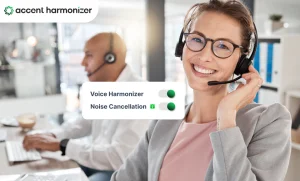
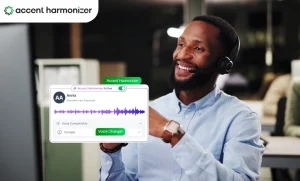
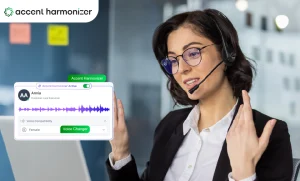
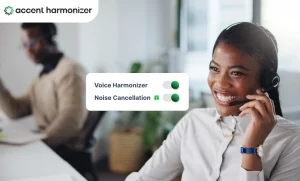
Accent Harmonizer for enterprise contact centers fixes live conversation friction caused by accent variations, pronunciation differences, or noisy operating environments. Built directly for global BPO and contact center delivery networks, the platform operates as a lightweight virtual audio layer within existing CCaaS and softphone environments. Verified core capabilities include:
- Real-Time Accent Harmonization: Dynamically adjusts regional pronunciation cues during live conversations without changing the speaker’s vocal identity or tone.
- Sub-200ms Processing Latency: Delivers imperceptible processing speeds that maintain natural conversational pacing and turn-taking.
- Integrated Noise Suppression: Eliminates omni-directional background noise alongside speech enhancement in a single processing step.
- Zero-Data Retention Architecture: Processes audio locally or in secure streams without storing audio recordings, voiceprints, or PII.
Eliminate Live Conversation Friction Across Your Global Contact Centers
Clean audio is only half the battle. True customer comprehension requires real-time speech intelligibility. Accent Harmonizer integrates directly with your existing CCaaS infrastructure to resolve regional accent friction, eliminate background noise, and boost FCR.