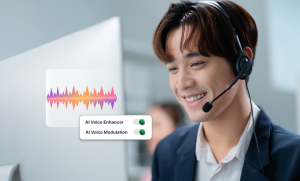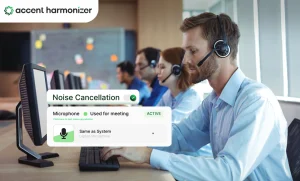

Call center background noise is not one problem. Office chatter, microphone pickup, poor room acoustics, customer-side noise, and speech-intelligibility problems can all produce the same customer response: “Could you repeat that?” But each requires a different fix. Before buying another headset, acoustic panel, or noise-cancellation tool, identify where the unwanted sound enters the call. The troubleshooting path moves from the room to the microphone, audio processing, customer side, and finally, speech intelligibility.
Before You Fix Call Center Background Noise, Find Where It Enters the Call
Managers often treat every difficult-to-hear call as a generic noise problem, even though the failure may occur at completely different points in the audio chain.
| Contact Center Audio Diagnostics & Root Cause Matrix | |||
|---|---|---|---|
| What happens on the call | Likely source | Quick test | First intervention |
| Customer hears nearby agents | Agent-floor speech / mic pickup | Compare normal-floor and quiet-room recordings | Mic positioning, gain, voice isolation |
| Agent sounds distant or echoey | Room acoustics | Record the same headset in another room | Acoustic treatment |
| Keyboard or desk sounds dominate | Microphone pickup | Lower input gain and reposition mic | Mic setup / headset |
| Agent hears TV, traffic, children | Customer-side noise | Check whether agent-side audio is already clean | Bidirectional processing |
| Hissing, clipping, distortion | Audio chain | Swap headset/device and compare | Hardware / driver / telephony check |
| Audio is clean but repetition continues | Speech intelligibility | Review clean calls for repeated explanations | Investigate accent, pacing, pronunciation, clarity |
Do not choose the intervention until you can identify the failure point.
How Background Noise Turns into Extra Call Time?
A few seconds of repetition may appear trivial on one call but become operationally material when multiplied across thousands of daily interactions. Isolating agent background chatter is critical, but knowing what noise suppression software resolves at the agent layer prevents over-reliance on basic filtering. Background noise creates missed words, prompting clarification requests, repeated explanations, extra talk time, and higher AHT.
Possible consequences include:
- Repeated explanations
- Slower information confirmation
- Longer calls
- Additional supervisor involvement
- Avoidable labor consumption
The relevant metric is not how quiet a recording sound. It is how often noise forces the conversation to do work twice.
Fix Room Noise Before You Process the Audio
Control environmental acoustics by addressing structural factors on the floor:
- Reduce hard reflective surfaces.
- Use acoustic partitions where needed.
- Separate noisy equipment and break areas from agent pods.
- Reduce excessive reverberation.
- Evaluate desk density.
Move the same agent and headset into a quieter room and repeat the test call. If the transmitted noise drops sharply, the room is part of the problem. If the call remains noisy, stop adding acoustic treatment and inspect the microphone and audio chain.
Fix Microphone Pickup Before Adding More Software
Hardware capture requires strict operational consistency across agent desks before software layers are introduced.
- Standardize boom-mic placement.
- Use directional and noise-rejecting microphones.
- Check microphone input gain.
- Avoid uncontrolled laptop or desk microphones.
- Compare recordings across approved headset models.
- Test whether neighboring conversations remain intelligible.
Run a quick micro-test: record a normal call, move the boom microphone closer, lower excessive input gain, record again, and compare nearby speech pickup. If neighboring agents are still clearly audible after the microphone setup is corrected, hardware rejection has reached its limit. That is when software processing becomes relevant.
Use Real-Time Noise Cancellation for What Hardware Cannot Reject
Hardware tries to prevent unwanted sound from entering the microphone. Noise-cancellation software for call centers processes the captured audio and separates speech from unwanted sound. Typical targets include nearby conversations, keyboard noise, HVAC units, office chatter, and intermittent environmental noise.
What IT should ask before deployment:
- Is processing agent-side only or bidirectional?
- Is processing local or cloud-dependent?
- Does it add perceptible latency?
- What CPU resources does it consume?
- Does deployment alter SIP or CCaaS routing?
- Can it operate as a virtual audio device?
- Is call audio retained?
- What happens if the processing layer fails?
- Does it work with the existing CCaaS environment?
Agent-Side Noise Cancellation Cannot Fix the Customer’s TV, Traffic, or Office
A noise-rejecting headset or agent-side filter may stop the customer from hearing the contact-center floor, but it does nothing about noise entering from the other direction. Unwanted sound frequently originates on the caller’s end, including television broadcasts, road traffic, airport announcements, children, crowded offices, and household appliances.
If incoming customer noise prevents the agent from understanding the caller, both directions of the conversation require intervention through bidirectional noise cancellation. “The customer can’t hear us” and “we can’t hear the customer” are two different technical problems.
If the Call Is Clean but Customers Still Ask for Repetition, Noise Isn’t the Problem
Noise removal cannot guarantee that the remaining speech is immediately understood. Repetition of otherwise clean calls can stem from accent variation, unfamiliar pronunciation patterns, rapid pacing, phoneme differences, codec degradation, language familiarity, or general speech intelligibility.
The distinction comes down to two metrics:
- Signal cleanliness: Is unwanted audio interfering with the voice?
- Speech intelligibility: Can the listener understand the voice correctly the first time?
If removing noise does not reduce repeated explanations, investigate speech clarity before buying more noise-control equipment. This is where Accent Harmonizer becomes relevant. It modifies speech patterns in real time while preserving the speaker’s voice identity, tone, and emotional delivery.
Run This 7-Step Test Before Buying More Headsets or Software
- Sample problematic calls: Select 20–30 calls where agents or customers repeatedly ask for clarification.
- Identify direction: Determine whether noise is entering from the agent side, customer side, or both.
- Run a quiet-room comparison: Repeat the same headset setup away from the production floor.
- Standardize the microphone: Correct boom position and input gain before changing technology.
- Test real-time suppression: Compare recordings with and without noise processing.
- Measure the conversation: Check whether repeat requests and unnecessary talk time fall.
- Investigate speech intelligibility: If clean calls still contain repeated explanations, the remaining problem may not be noise.
Stop Treating Intelligibility Gaps as Acoustic Problems
If your contact center continues to experience high repeat rates despite clean audio metrics, your technology stack may be solving the wrong problem.