
A controlled demo on a single laptop removing targeted keyboard clicks tells an enterprise buyer almost nothing about production performance. In live enterprise contact centers, real-time noise cancelling software faces chaotic acoustic conditions: agents sitting inches apart on open BPO floors, fluctuating home office environments, legacy desktop hardware, Virtual Desktop Infrastructure (VDI) redirection layers, and strict mouth-to-ear latency budgets.
Evaluating this technology requires shifting perspectives. The core question is not whether filtered audio sounds cleaner in a vacuum, but whether introducing a real-time voice processing layer improves live conversation without introducing latency spikes, voice distortion, or endpoint instability. Evaluating real-time noise cancelling software for call centers must be treated as a production infrastructure project, not a superficial audio-enhancement feature.
What Real-time Noise Cancelling Software Can—and Cannot—Fix
Real-time noise cancellation operates directly inside the live audio path, suppressing unwanted signals during the conversation rather than scrubbing recorded files post-call. However, processing layers cannot solve underlying network or hardware failures.
Before evaluating vendors, contact center operations leads must isolate the root cause of audio friction:
| Contact Center Call Problems vs Noise Cancellation Suitability | ||
|---|---|---|
| Call Problem | Is Noise Cancellation the Likely Fix? | Operational Context |
| HVAC / Fan Hum | Yes | Stationary background noise with stable acoustic profiles. |
| Mechanical Keyboard Noise | Usually | Transient, high-frequency physical impacts. |
| Traffic / Home Background | Usually | Mixed environmental noise near the agent. |
| Nearby Agent Speech | Depends on Voice Isolation | Requires target voice isolation, not basic spectral subtraction. |
| Acoustic Echo | Requires Echo Cancellation | Occurs when speaker output bleeds back into the microphone. |
| Packet Loss / Audio Clipping | No | Telephony/network layer issue (jitter, packet drop). |
| Microphone Distortions | No | Hardware degradation or incorrect Windows input gain. |
| Repeat Requests from Accents | No | Speech intelligibility issue, not environmental noise. |
Agent-side vs Bidirectional Noise Cancellation
Enterprise noise suppression software generally operates in two configurations:
- Agent-side Processing: Filters unwanted signals exclusively from the agent’s microphone stream before it transmits to the CCaaS or softphone.
- Bidirectional Processing: Filters incoming customer-side background noise (such as airport chatter, street noise, or household commotion) in addition to the agent’s local environment.
Evaluating either path requires testing software against a clear noise difficulty hierarchy:
- Tier 1 (Stationary Noise): Constant background hums including HVAC units, desk fans, and electrical buzzes.
- Tier 2 (Transient Noise): Sudden, non-vocal impacts such as mechanical keyboard clack, chair adjustments, and door slams.
- Tier 3 (Competing Speech): Background human voices, including televisions, family members, or distant colleagues.
- Tier 4 (Dense Same-environment Speech): High-density open BPO floors where adjacent agents speak simultaneously at similar volume levels into nearby microphones.
Where Noise Cancellation Sits in the Contact Center Audio Path?
To calculate latency and endpoint overhead, IT leaders must inspect how noise cancellation interfaces with existing software stacks:
| Real-Time Voice Architecture & Audio Routing Flow |
|---|
Step 1 Headset / Microphone → Step 2 Real-time Audio Processing Layer (Local CPU/GPU or Virtual Audio Driver) → Step 3 Virtual Audio Device / Audio Path Routing → Step 4 Softphone / CCaaS Application → Step 5 SIP Trunk / Telephony Network → Endpoint Customer |
Deploying this layer requires IT and Telephony teams to validate five fundamental architecture requirements:
- Latency Impact: Measure incremental processing overhead. Processing must maintain sub-200ms latency to prevent conversational talk-over and awkward pauses. Demand updated latency metrics under peak CPU load.
- Endpoint Resource Consumption: Quantify average and peak CPU/RAM usage across legacy thin clients, older desktop builds, and virtualized environments Ensure processing does not force a widespread hardware refresh.
- Stack Compatibility: Verify virtual audio driver stability across specific operating systems, physical headset USB controllers, and active softphone or CCaaS client software.
- Central Administration: Ensure IT can deploy silently via MSI/software distribution tools, push central policy configurations, control update cycles, and instantly execute a global bypass or rollback if issues arise.
- Data Handling and Security: Confirm whether processing occurs 100% locally on the endpoint device or routes through an external media server. Audit telemetry collection to ensure zero audio retention and zero PII exposure.
How to Run a Real Contact Center Noise Cancellation Pilot?
A structured, 5-step pilot framework ensures operational data—rather than subjective impressions—drives the deployment decision.
Step 1 — Establish the Baseline
Before enabling software for pilot cohorts, collect 30 to 60 days of baseline operational and technical metrics:
- Average Handle Time (AHT) and hold times
- Customer repeat requests (e.g., “Can you say that again?”)
- QA audio defect rates and background noise flags
- Agent-reported audio fatigue and hardware tickets
- Baseline endpoint CPU/RAM utilization and mouth-to-ear latency
Step 2 — Test Increasingly Difficult Acoustic Conditions
Avoid testing solely with pre-recorded, pristine audio files. Run live test calls across all four acoustic tiers: quiet environments, heavy HVAC hum, continuous typing, and high-density floor chatter. Test bidirectional capabilities against simulated noisy customer conditions if inbound filtering is enabled.
Step 3 — Use Matched, Comparable Cohorts
Never run a pilot by comparing one offshore site against a domestic site, or senior agents against new hires. Control for:
- Queue type and call complexity
- Agent tenure and baseline communication scores
- Hardware specs (desktop build, RAM, headset model)
- Physical seating density and environment
Step 4 — Protect Guardrail Metrics
A decrease in AHT means nothing if customer comprehension drops. Track critical guardrail metrics alongside primary KPIs:
| Pilot Operational Guardrails & Success Metrics |
|---|
Core Framework Pilot Guardrails ➞ Metric 01 First Contact Resolution (FCR) ➞ Metric 02 QA Compliance & Accuracy Scores ➞ Metric 03 Phoneme Clipping & Naturalness ➞ Metric 04 Endpoint CPU & VDI Stability |
If processing saves 8 seconds of handle time but causes voice clipping that degrades First Contact Resolution (FCR) by 3%, the deployment is a net operational loss.
Step 5 — Define Go/No-go Thresholds Before Deployment
Secure alignment between IT, Operations, and vendor leads on strict deployment thresholds prior to launch:
- Maximum allowable processing latency (e.g., <20ms incremental overhead)
- Maximum CPU utilization ceiling (e.g., <5% average core allocation)
- Minimum required reduction in audio-related QA defects
- Zero degradation in baseline FCR or customer effort metrics
Vendor Evaluation Scorecard: What to Ask Before the Pilot
Use this target scorecard to shortlist real-time accent harmonizer software vendors prior to allocation of enterprise pilot resources:
| Voice & Noise Suppression Vendor Evaluation Checklist | ||
|---|---|---|
| Evaluation Area | Direct Question for Vendor | Technical Requirement |
| Live Processing | What is the total incremental processing latency? | Must remain sub-200ms end-to-end without audible delay. |
| Bidirectional Support | Does the software clean both agent and customer audio streams? | Dual-stream filtering capability if customer noise impacts AHT. |
| Human Speech Isolation | How does the algorithm isolate primary agent voice from adjacent agent chatter? | Must suppress Tier 3 and Tier 4 competing speech without clipping. |
| Voice Preservation | How does the system prevent robotic distortion or clipped consonant sounds? | Preserves voice naturalness, tone, and vocal characteristics. |
| Endpoint Resource Load | What are the exact CPU/RAM requirements on low-spec thin clients or VDI? | Minimal footprint; no GPU dependency required for basic operation. |
| Deployment Model | Is installation structured as an endpoint app, virtual audio driver, SDK, or SIP layer? | Lightweight virtual audio layer for zero infrastructure overhaul. |
| Data Privacy | Does call audio ever leave the local endpoint device for cloud processing? | Local processing posture; zero audio storage or PII retention. |
| Administration | Can IT management centrally push updates, policies, and remote bypasses? | Native support for silent MSI deployment and enterprise policies. |
| Rollback Velocity | How quickly can the processing layer be disabled if desktop errors occur? | Instant driver bypass capability without breaking active CCaaS connections. |
Where Real-time Noise Cancellation Breaks Down
Production environments routinely expose edge cases where aggressive noise suppression degrades conversation quality:
- Phoneme Clipping: Aggressive algorithms misinterpret soft consonant sounds (such as f, s, th, or p) as background noise, clipping the start or end of words and reducing clarity.
- Robotic Artifacts: Heavy spectral subtraction can create phase distortion, causing the agent’s voice to sound thin, metallic, or synthetic.
- Dynamic Speaker Crossover: When an adjacent agent speaks louder than the primary agent, basic filters may momentarily lock onto the wrong voice, gating the primary agent out entirely.
- VDI Audio Routing Conflicts: Virtual desktop environments can introduce driver hook failures, causing softphone applications to default to integrated laptop microphones instead of the processed virtual audio device.
- Hardware Variance: Uncalibrated microphone gain levels across mixed headset fleets can cause fluctuating suppression levels between agents on the same floor.
Noise cancellation performance must be judged by what remains clear and understandable after suppression, not simply by how much background sound disappears.
When the Problem Is Speech Intelligibility, Not Noise?
Removing background noise does not automatically guarantee clear communication. If call recordings show zero environmental interference, yet customers frequently ask agents to repeat complex details, the operational issue is rarely audio noise.
When call friction stems from rapid speaking rates, heavy regional accents, or pronunciation unfamiliarity, adding stronger noise cancellation will not improve outcomes. Treating speech comprehension barriers with noise filters leads to over-processed, distorted audio without reducing customer effort
When Do You Need More Than Noise Cancellation?
Environmental noise and speech intelligibility are separate operational risks that hit contact center P&Ls in identical ways: inflated handle times, increased customer effort, and unnecessary escalations.
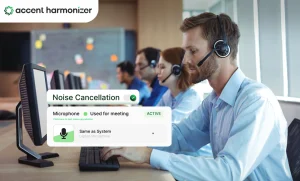
Accent Harmonizer addresses both layers simultaneously within live call environments. Sitting as a lightweight virtual audio device in your existing telephony stack, it pairs omni-directional background noise suppression with real-time accent clarity. The processing layer operates locally with sub-200ms latency, preserving the agent’s natural voice identity, tone, and emotion while removing environmental distractions and speech friction on live calls.
Test Real-time Voice Clarity in Your Existing Call Environment
Filtering keyboard clicks on a test laptop doesn’t prepare you for production BPO floors. Validate noise suppression, voice preservation, latency, and endpoint stability under your actual operating conditions.